AI translation, offline
The built-in model translates locally after installation, without an account or API key. Optionally download and switch between supported Hy-MT2 and Qwen models.
 Lingua
A native translation workspace for Apple Silicon
Read an article, work from a screenshot, refine a translation. Lingua brings local AI translation, image text recognition and side-by-side editing into one quiet workspace.
Download on the Mac App Store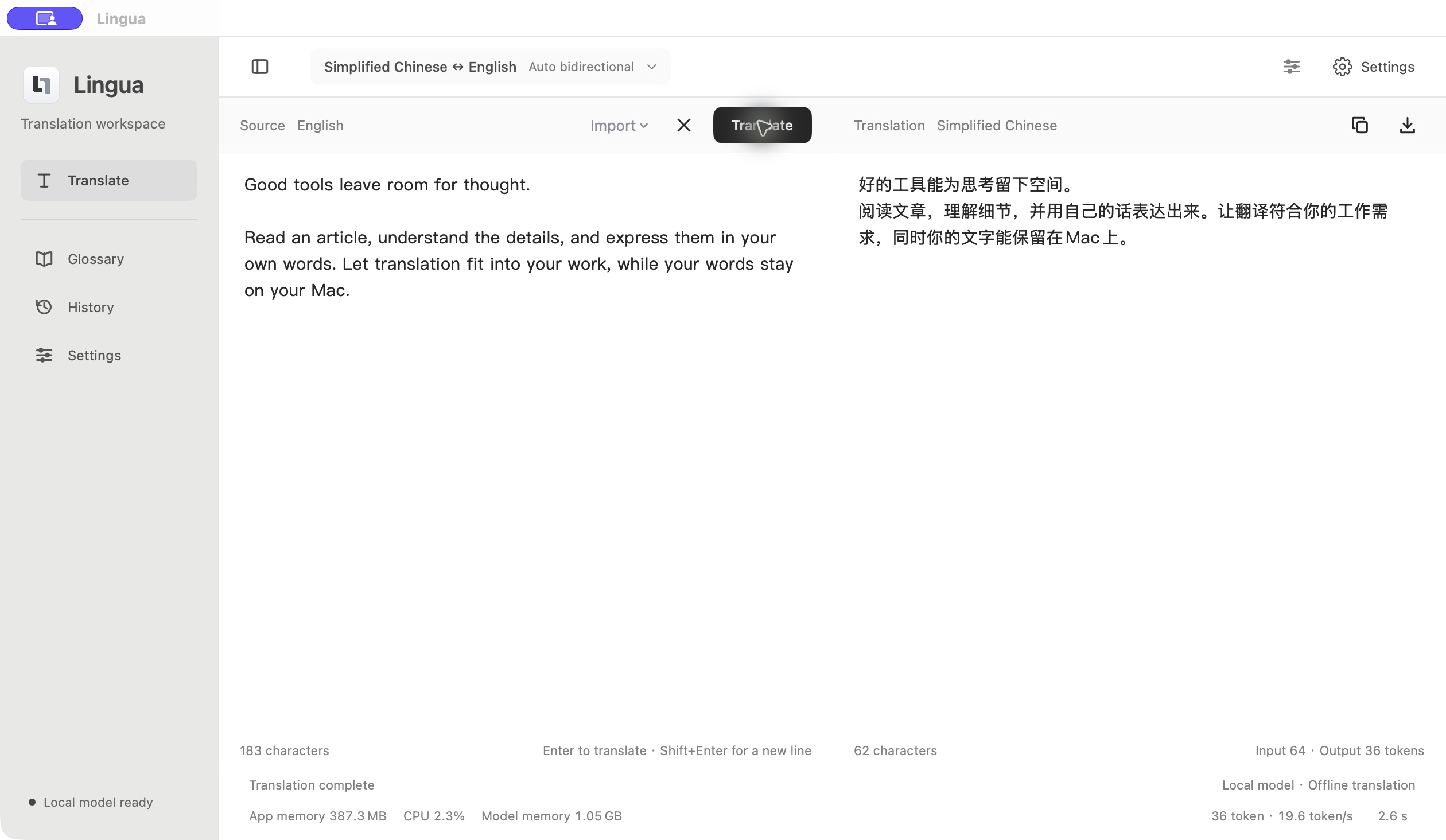
Lingua / Workspace
The built-in model translates locally after installation, without an account or API key. Optionally download and switch between supported Hy-MT2 and Qwen models.
Paste a screenshot, drop an image or import one. Apple Vision recognizes text on your Mac. Review the result, then translate.
Edit both source and translation. Set a domain, style and preferred terms, with reminders to check missing numbers and terminology.
Search up to 100 recent translations and a glossary stored on your Mac. Import TXT or Markdown, and export translations as TXT.
Local translation and OCR run on your Mac. History and glossary stay on your device, without cloud sync. Optional API mode sends source text and relevant terms to your configured service after permission. Local failures never automatically switch to a remote API.
Read the full privacy policy →Type, import TXT or Markdown, or paste an image for OCR.
Select languages and a local model, then adjust style and terms.
Edit alongside the source, then copy or export a TXT file.
Yes. The Mac App Store version of Lingua includes a default translation model. Use local mode offline after installation without another model download or an API key. Optional model downloads and remote APIs require a connection.
Apple Silicon (M1 or later) running macOS 14 or later. Intel Macs are unverified. Local models use memory and storage; speed varies by device, model and text length.
Paste, drop or import an image. Lingua extracts text on your Mac for review and translation. Complex columns or tables may need cleanup. It does not replace text in the original image or reconstruct its layout.
Local models and OCR process on your Mac. In optional API mode, source text and relevant terms go to your configured provider after permission. That provider sets its own retention policies.
Lingua currently focuses on text and image text, without voice or live conversation translation. AI can mistranslate; review important content.
Use the Mac App Store link on this page. The store name is Lingua: Offline AI Translator. Source code and issue reporting are available on GitHub.